
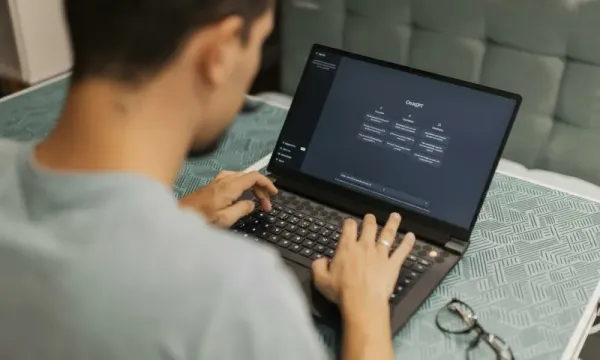
ChatGPT is one of the easiest A.I. tools to learn because you can talk to it in normal, everyday language and it responds instantly. This guide walks beginners through exactly how to use ChatGPT, what the buttons do, and how to get great results even if you’ve never used A.I. before.
What This Is
A step-by-step beginner’s walkthrough showing how to start using ChatGPT, how to write prompts, how to use the “+” menu inside the prompt field, and how to apply ChatGPT to real-life tasks like writing, planning, organizing, and learning.
How to Use ChatGPT (Step-by-Step)
- Start With a Simple Question
Open ChatGPT and type something natural: “Explain this…” or “Help me understand…” or “Create a list of…”. ChatGPT is designed to understand plain English—no special formatting needed. - Add Context So ChatGPT Knows What You Want
This is the biggest beginner mistake: not giving enough background.
Example: “I’m a beginner trying to understand Roth IRAs. Explain it simply.”
Or: “Write this message for my neighbor. Friendly tone.”
Context makes the answer dramatically better. - Tell ChatGPT the Format You Prefer
ChatGPT will follow any structure you ask for:
• bullet points
• numbered steps
• a short paragraph
• a comparison table
• an outline
This is one of the easiest ways to turn a good answer into a great one. - Use the + Button in the Prompt Field (Important for Beginners)
In the mobile app and on desktop, tapping the + icon opens powerful options:
• Upload Images – Take a photo of something (a document, a bill, a recipe, a product, a screenshot) and ask ChatGPT to explain or analyze it.
• Upload Files – PDFs, Word docs, spreadsheets, or text files. ChatGPT can summarize, clean up, extract data, rewrite, or compare them.
• Start a Voice Conversation – Tap the microphone to talk instead of typing. Great for quick questions, hands-free use, or when something is hard to type out.
• Use Camera Mode – Point your phone at something (ingredients, a form, a device, an instruction manual, a handwritten note) and ask ChatGPT to tell you what it sees and how to use it.
Beginners often overlook these features—but they make ChatGPT 10× more useful. - Provide Source Material When You Have It
You can paste text, upload a file, or take a photo.
Examples:
• “Summarize this article:” + paste text
• “Rewrite this email to sound polite:” + paste email
• “Explain what this bill means:” + upload a PDF
• “Turn these notes into a clean summary:” + photo - Ask for Improvements (ChatGPT Expects Follow-Ups)
The first answer is just the start. Beginners should ask for refinements:
• “Shorter.”
• “More friendly.”
• “Make this easier to understand.”
• “Give me three options.”
• “Rewrite for an 8th grader.”
Follow-up prompts are how you get results that feel perfectly tailored. - Use ChatGPT for Real Tasks
Examples of practical everyday uses:
• Rewrite an email politely
• Summarize a long article in a few sentences
• Create a weekly meal plan based on what you have
• Break a project into steps
• Plan a trip or a weekend activity
• Turn messy notes into a clean list
• Explain something complicated in simple terms - Let ChatGPT Guide You When You’re Stuck
One of the best beginner moves is simply asking:
“What else should I ask you to make this better?”
Or:
“Give me 5 useful follow-up prompts based on this.”
ChatGPT will help you refine your thinking and expand your options. - Practice With One Small Task a Day
The fastest way to get good at ChatGPT is to use it for tiny daily tasks—summaries, lists, rewrites, comparisons, explanations. You get better simply by using it.
Key Takeaways
• ChatGPT understands plain English—no technical skills needed.
• Adding context makes answers more accurate and useful.
• The “+” menu unlocks images, documents, voice, and camera tools.
• Follow-up prompts are how you refine and improve results.
• Daily small tasks build fast confidence and skill.
Join our free newsletter today. Better yet, become a member to gain access to more than 200 valuable prompts and pro tips, engage with the community, and support independent publishers like us!