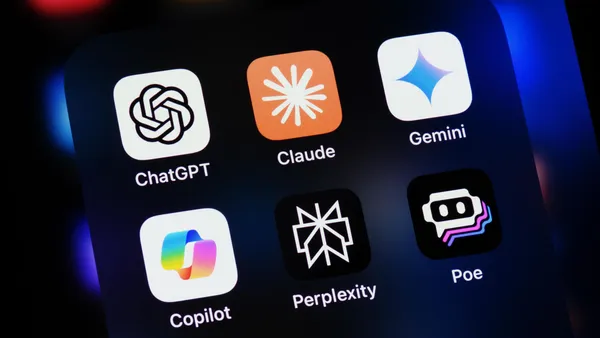
If you're new to AI tools, here’s a simple guide showing exactly where to download ChatGPT, Google Gemini, Anthropic's Claude and Microsoft Copilot across web, iPhone/iPad, Android, Windows, and Mac.
What This Is
A quick-reference guide with direct download links to the major AI apps.
Key Takeaways
• You can use all three tools in any web browser.
• All have official iOS and Android apps.
• Microsoft Copilot has both a free version and a premium Microsoft 365 Copilot version.
Download Locations
ChatGPT
Web: https://chat.openai.com
iPhone/iPad: https://apps.apple.com/app/chatgpt/id6448311069
Android: https://play.google.com/store/apps/details?id=com.openai.chatgpt
Google Gemini
Web: https://gemini.google.com
Android: https://play.google.com/store/apps/details?id=com.google.android.apps.bard
iPhone/iPad: https://apps.apple.com/app/google-gemini/id6475988169
Claude (by Anthropic)
Web: https://claude.ai
Android: https://play.google.com/store/search?q=Claude%20by%20Anthropic&c=apps
iPhone/iPad: https://apps.apple.com/us/search?term=Claude%20by%20Anthropic
Microsoft Copilot — Free Version
Web: https://copilot.microsoft.com
Windows App: https://apps.microsoft.com/store/detail/copilot
iPhone/iPad: https://apps.apple.com/app/microsoft-copilot/id6471887444
Android: https://play.google.com/store/apps/details?id=com.microsoft.copilot
Microsoft 365 Copilot (Paid)
Requires a Microsoft 365 subscription and works inside Word, Excel, Outlook, and PowerPoint. Download for all platforms: https://www.microsoft.com/microsoft-365/copilot
Quick Summary
Use the links above to quickly install ChatGPT, Gemini, Claude or Copilot on any device so you can start using AI tools right away.
Join our free weekly newsletter today. Better yet, become a member to gain access to more than 200 valuable prompts and pro tips, engage with the community, and support independent publishers like us!